
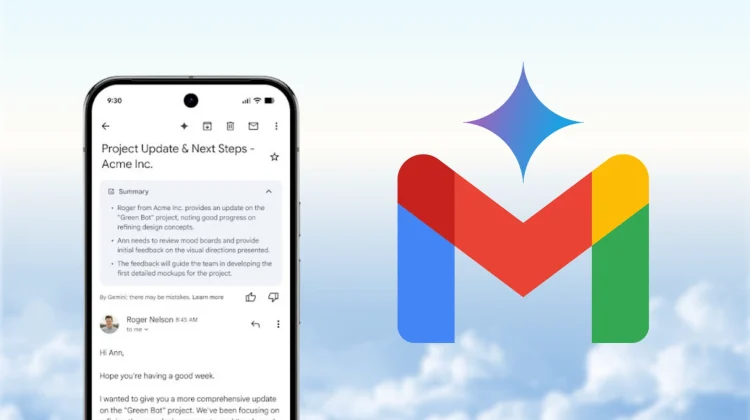
Email overload has been a long-standing problem for users across the world. Now, Google is making a serious attempt to fix it. The company has announced AI Overviews in Gmail search along with an experimental AI-organized inbox—two features designed to help users find, understand, and prioritize emails faster.
What Are AI Overviews in Gmail Search?
AI Overviews bring contextual intelligence to Gmail search. Instead of returning a long list of emails, Gmail now displays an AI-generated summary at the top of search results.
This summary pulls key details such as dates, action items, confirmations, and important updates—saving users from opening multiple emails.
This approach aligns with Google’s broader AI direction, similar to how AI Overviews already work in Google Search.
How the AI-Organized Inbox Works
The experimental AI-organized inbox goes beyond traditional Gmail tabs like Primary and Promotions. It dynamically groups emails based on urgency, importance, and relevance.
- Important conversations are surfaced automatically
- Time-sensitive emails are prioritized
- Low-value or repetitive messages are grouped together
The system continuously adapts based on how users interact with emails—what they open, ignore, or respond to.
Gemini AI’s Expanding Role in Gmail
These updates are powered by Google’s Gemini AI, which is already active across Gmail features such as message summaries, drafting assistance, and proofreading.
If you are exploring productivity-focused AI tools, you may also find these internal resources useful:
Traditional Inbox vs AI-Organized Inbox
| Feature | Traditional Gmail Inbox | AI-Organized Inbox |
|---|---|---|
| Email Sorting | Manual or rule-based | AI-driven and adaptive |
| Search Experience | Keyword-based results | AI-generated summaries |
| Prioritization | User-managed | Automatically prioritized |
| Handling Email Overload | Limited | Context-aware grouping |
Why This Matters for Businesses and Professionals
For professionals managing dozens or hundreds of emails daily, these changes can significantly reduce time spent on inbox management.
This is especially relevant for teams already using Google Workspace, where AI-powered productivity is becoming a core differentiator.
Related reading:
- How Artificial Intelligence is Revolutionizing Work, Efficiency, and Industries
- Explore AI Tools on ITMart24
Privacy and User Control
Google states that these AI features follow existing Gmail privacy protections. The AI-organized inbox is optional, and users retain full control over their data.
Email content used for AI summaries is not used for advertising, and features will roll out gradually.
Final Thoughts
With AI Overviews in Gmail search and an AI-organized inbox, Google is redefining how email works. Instead of simply storing messages, Gmail is evolving into an intelligent communication assistant.
If successful, this could mark the most significant shift in email usability in over a decade.